For many small businesses, website security only becomes a priority after something goes wrong. A hacked site, malware warning, spam injection, or sudden loss of customer trust can turn a routine marketing asset into a business problem. That is why website security basics for small businesses deserve attention early, not after an incident.
The good news is that effective website security does not start with complex enterprise tools. It starts with sound decisions around hosting, access control, updates, backups, and day-to-day site management. Most security failures in small business websites come from preventable weaknesses rather than highly sophisticated attacks.
This article explains the core security fundamentals, how they work in practice, where small businesses typically make mistakes, and how to build a sensible baseline without overcomplicating the process.
What Is Web Hosting
Web Hosting is the service that stores your website files and makes your site accessible on the internet. In practical terms, your hosting provider manages the server environment where your website runs, including storage, uptime, network access, and in many cases some security controls.
That makes hosting more than a technical utility. It is part of your security foundation.
A small business can have a well-designed website and still be exposed if its hosting environment is weak. Poor hosting decisions can lead to slow patching, weak server isolation, unreliable backups, outdated software environments, and limited monitoring. On the other hand, a well-managed hosting setup can reduce risk before you install a single plugin or security tool.
When people discuss website security basics for small businesses, they often focus only on passwords and plugins. That misses a big part of the picture. Security starts lower in the stack, and Web Hosting is one of the first strategic choices that affects the rest.
Why Website Security Matters
Website security affects more than IT hygiene. It directly influences credibility, business continuity, and long-term website performance.
If a site is compromised, the consequences can include:
- customer data exposure
- downtime or broken site functionality
- spam pages or malicious redirects
- loss of trust from users
- search visibility problems if search engines flag the site as unsafe
From an SEO perspective, security issues can damage performance in several ways. A hacked site may be removed from search results, marked with security warnings, or filled with low-quality injected pages that weaken site quality signals. Even when rankings do not collapse immediately, trust and conversion rates often do.
For a small business, that risk is disproportionate. Larger companies may absorb downtime or repair costs more easily. Smaller businesses often rely on a small number of key pages for lead generation, bookings, or online sales. If the site is unavailable or untrustworthy, the impact is immediate.
Security also supports E-E-A-T indirectly. A secure website signals professionalism, responsible data handling, and operational maturity. Users may never praise a site simply for being secure, but they will absolutely notice when it is not.
How Website Security Works in Practice
Website security is not one tool or one setting. It is a layered approach that reduces the chance of compromise and limits damage if something does go wrong.
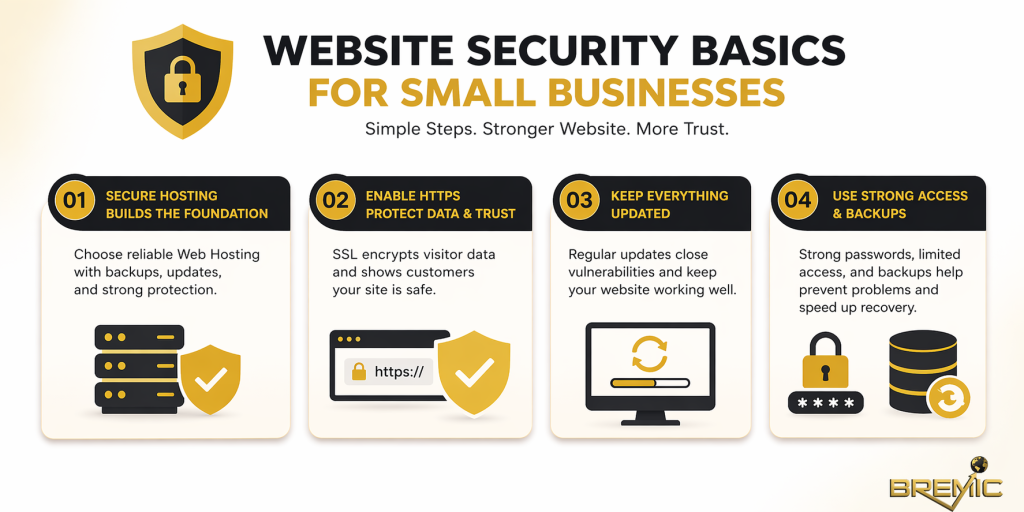
Secure hosting provides the first layer
Your hosting environment influences patching speed, server hardening, SSL support, backup infrastructure, malware scanning options, and the level of support available when something fails.
For most small businesses, the right approach is not necessarily the cheapest hosting plan. It is the most dependable environment that fits the site’s technical needs. Good hosting should offer a modern software stack, strong uptime, backup access, SSL certificates, and clear security responsibility boundaries.
Shared hosting can be acceptable for very small sites, but it requires more care when choosing the provider. Managed hosting is often worth considering for businesses that use WordPress or similar CMS platforms and do not have internal technical support.
SSL protects data in transit
An SSL certificate enables HTTPS, which encrypts data between the visitor’s browser and your website. This is now a basic requirement, not an advanced upgrade.
Without HTTPS, login credentials, form submissions, and user interactions are more exposed. Browsers also warn users about non-secure sites, which damages trust immediately. For search performance, HTTPS is a standard expectation rather than a differentiator, but failing to implement it still creates avoidable risk.
Updates reduce known vulnerabilities
One of the most common causes of compromised sites is outdated software. That includes the CMS core, themes, plugins, server-side software, and any third-party extensions.
Attackers do not always need to discover new weaknesses. They often exploit known vulnerabilities in websites that were never updated. Small businesses sometimes delay updates because they fear breaking the site, but the absence of a process is usually more dangerous than the update itself.
A safer approach is to maintain a staging workflow where possible, test important updates, and keep a consistent maintenance schedule.
Access control limits preventable exposure
Many website compromises begin with weak login practices rather than server-level exploits. Too many users have admin access, passwords are reused, accounts are never removed, or two-factor authentication is missing.
Strong access control means giving users only the permissions they actually need, enforcing strong passwords, removing unused accounts, and securing login areas. This is basic operational discipline, but it is one of the highest-leverage parts of website security basics for small businesses.
Backups reduce business risk
Backups do not prevent attacks, but they determine how recoverable your business is after a problem. A secure website with no usable backup still creates a serious business continuity issue.
Backups should be automatic, recent, and stored separately from the live website environment where possible. Just as importantly, they should be tested. Many businesses assume they have backups until they need them.
Important Subtopics Small Businesses Should Understand
User permissions and admin hygiene
Not every employee, freelancer, or agency partner needs full administrative access. Excess access increases the chance of accidental changes and malicious misuse.
Review who has access to the website, hosting account, domain registrar, CDN, analytics, and connected services. These systems are related. A secure CMS with an insecure hosting login is not really secure.
Plugin and theme discipline
Small business sites often accumulate unnecessary plugins over time. Every extra plugin adds maintenance overhead and potential exposure.
Use only what the site truly needs. Remove inactive plugins and themes rather than leaving them installed. Prefer reputable tools with active support, regular updates, and a clear track record.
Domain and email account security
Website security does not stop at the website itself. If an attacker gains access to the domain registrar or business email account, they may be able to reset credentials, redirect the site, or interfere with DNS settings.
That is why strong authentication should also be applied to the domain account, hosting dashboard, and business email system.
Monitoring and alerts
Small businesses do not need enterprise-level monitoring to improve security. Even basic alerts for downtime, file changes, failed logins, or expired SSL certificates can help identify problems earlier.
The point is not to create noise. It is to reduce the time between problem creation and problem detection.
Common Mistakes Small Businesses Make
A frequent mistake is assuming security is handled entirely by the hosting provider. Good Web Hosting helps, but responsibility is shared. The hosting company may secure the server environment while the business is still responsible for the CMS, plugins, accounts, and site-level configuration.
Another common issue is treating security as a one-time setup. Installing a security plugin or enabling HTTPS is useful, but websites change constantly. New plugins are added, staff changes happen, and credentials get reused. Security needs light but consistent maintenance.
Many small businesses also over-prioritize convenience. Shared logins, simple passwords, untracked admin access, and skipped updates often happen because they save time in the short term. In practice, they create expensive problems later.
A more subtle mistake is choosing hosting based only on price. Cost matters, but low-cost hosting with poor support, weak backup systems, and outdated infrastructure can become far more expensive after a breach or major outage.
Practical Guidance for Getting the Basics Right
A sensible security baseline starts with a structured review rather than random tools.
First, assess your current setup. Identify your hosting provider, CMS version, plugin inventory, user accounts, backup process, SSL status, and domain account security. Many small businesses have never reviewed these areas together.
Next, improve the highest-risk issues first. In most cases, that means:
- enabling HTTPS properly
- updating the CMS, themes, and plugins
- removing unused software and inactive accounts
- enforcing strong passwords and two-factor authentication
- confirming automatic backups are working
- reviewing whether your current Web Hosting setup is appropriate
After that, document a lightweight maintenance process. Security is more manageable when responsibilities are clear. Decide who checks updates, who receives alerts, who manages backups, and who can approve access for outside partners.
For businesses that rely heavily on their site for leads or transactions, it is worth involving a qualified developer or technical partner for a baseline audit. That is not overkill. It is often the most efficient way to identify risks before they become incidents.
Timing and Expectations
Security improvements can have an immediate effect on risk reduction, but they do not create a perfect environment overnight. This is a maintenance discipline, not a one-time project.
Some changes, such as enabling HTTPS, tightening user access, or switching to better hosting, can improve resilience quickly. Others, such as building better update workflows or cleaning up plugin sprawl, take more time.
From an SEO and business standpoint, the real value is long-term stability. A secure website is less likely to suffer avoidable downtime, malware issues, spam injections, or trust failures that disrupt traffic and conversions. The goal is not visible short-term gains. It is avoiding preventable losses and protecting the site as a business asset.
Conclusion
Website security basics for small businesses are not about chasing every threat or buying the most advanced tools. They are about building a dependable baseline that covers the essentials: sound Web Hosting, HTTPS, updates, controlled access, reliable backups, and routine oversight.
That approach is practical, cost-conscious, and strategically strong. It protects customer trust, supports site performance, and reduces the likelihood that a preventable issue becomes a serious business problem.
For most small businesses, the right next step is not more complexity. It is more discipline. A secure website is usually the result of doing the basics consistently and doing them well.